Published on March 16, 2026 | Updated on March 16, 2026


1. Why Technical SEO Matters for Built Environment Websites in 2026
2. Site Architecture for AEC: Structuring Services, Projects and Locations Clearly
3. Speed, Core Web Vitals & Hosting: Keeping Heavy Project Pages Fast
4. Mobile-First and UX Basics for Architecture, Construction and Property Sites
5. Structured Data & Schema: Helping Search & AI Understand Your Content
6. Common Technical SEO Issues on Built Environment Websites (and How to Fix Them)
7. A Simple Technical SEO Health Checklist for Your AEC Website
8. Technical SEO Is Now Basic Site Hygiene for AEC Brands
9. Frequently Asked Questions
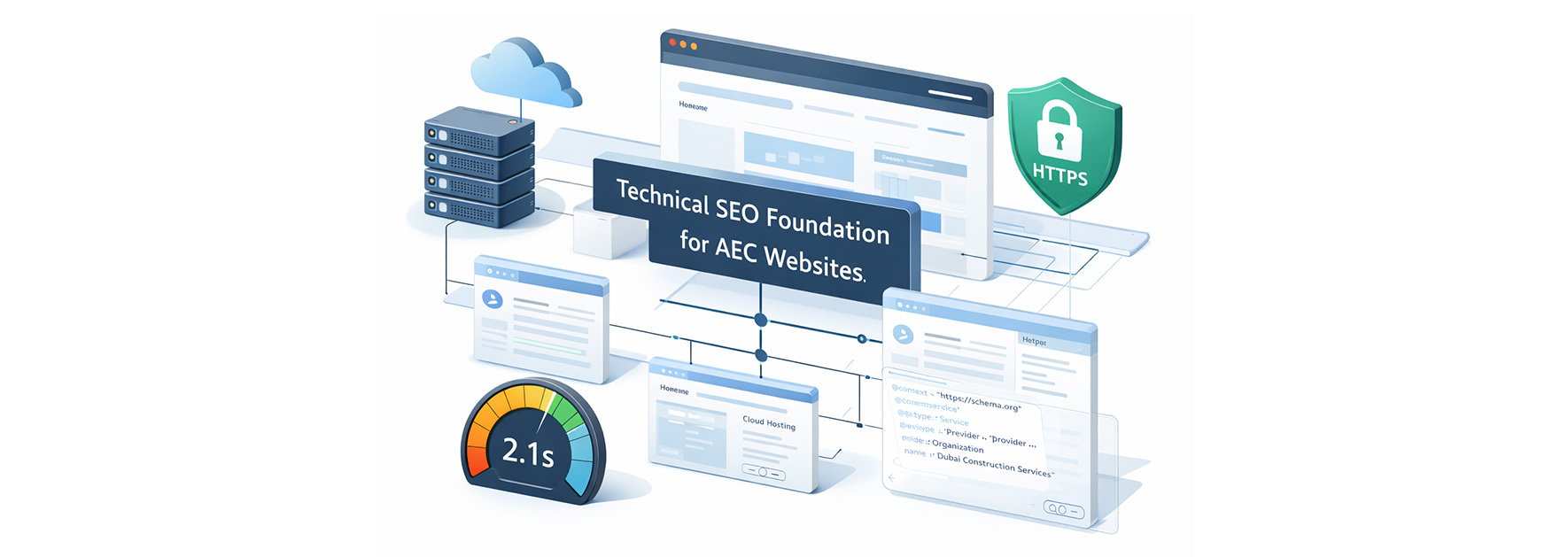
In 2026, technical SEO is no longer optional for architecture, engineering, construction (AEC) firms and property brands. It forms the foundation that allows your website to load quickly, be properly indexed, and be clearly understood by both Google and AI-driven search systems.
This article focuses on the core technical SEO essentials every built environment website needs: crawlability, indexation, speed, mobile responsiveness, site structure, schema, and security. These are not just error fixes, they directly power discoverability, user experience, qualified project enquiries, and increasingly, citations in AI Overviews and generative answers.
Below, you will find a practical checklist showing what to fix first and how these fundamentals support all future SEO and lead generation efforts.
Most built environment websites invest heavily in project photography, credentials, and sector expertise. Yet many underperform in search not because the content is weak, but because the underlying website infrastructure is unstable.
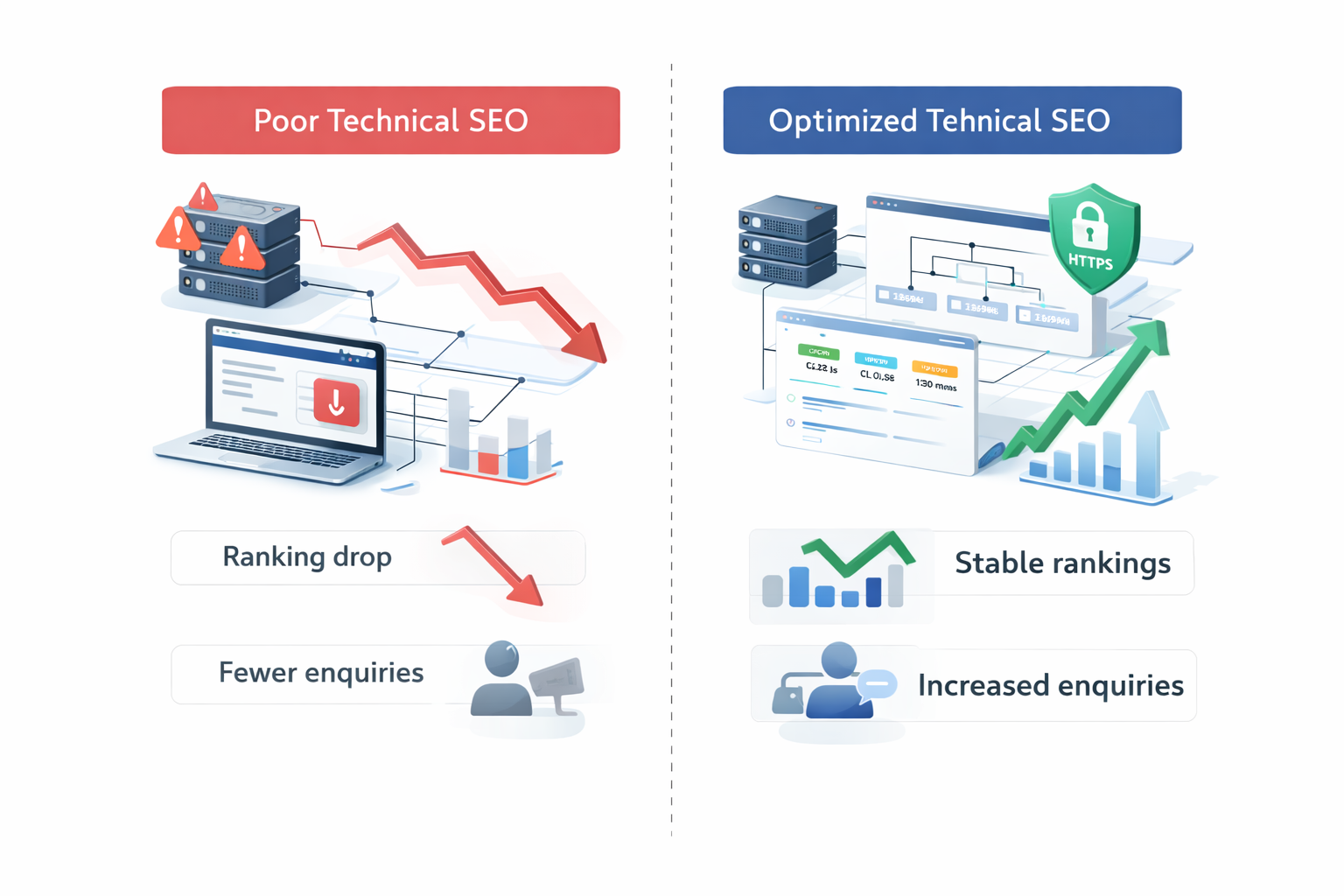
In 2026, technical SEO determines whether your architecture firm SEO, construction SEO audit efforts, or real estate SEO strategy can actually deliver returns.
For AEC brands, technical performance affects three commercial realities:
Built environment sites are particularly vulnerable. Large image galleries, interactive project filters, embedded PDFs, and heavy scripts often create hidden performance and crawl issues.
Without strong AEC technical SEO, even well-written service pages and impressive portfolios struggle to perform consistently. With the right technical setup in place, every marketing effort works more efficiently.
Clear site architecture is one of the most powerful technical SEO levers for AEC websites. It tells Google, AI systems, and users how your services, projects, sectors, and locations connect. When structure is messy or too deep, important pages lose visibility and authority.
A simple, shallow hierarchy works best. Key pages should ideally be reachable within three to four clicks from the homepage.
Each project should have one dedicated URL and sit within a logical hub such as a sector or service category. Service pages should link to relevant case studies, and project pages should link back to related services. This strengthens architecture firm SEO and improves overall AEC technical SEO performance.
For multi-office construction or property firms, use consistent URL patterns such as:
Clear navigation menus, breadcrumb trails, and contextual internal links help both crawlers and real clients move smoothly through the site.
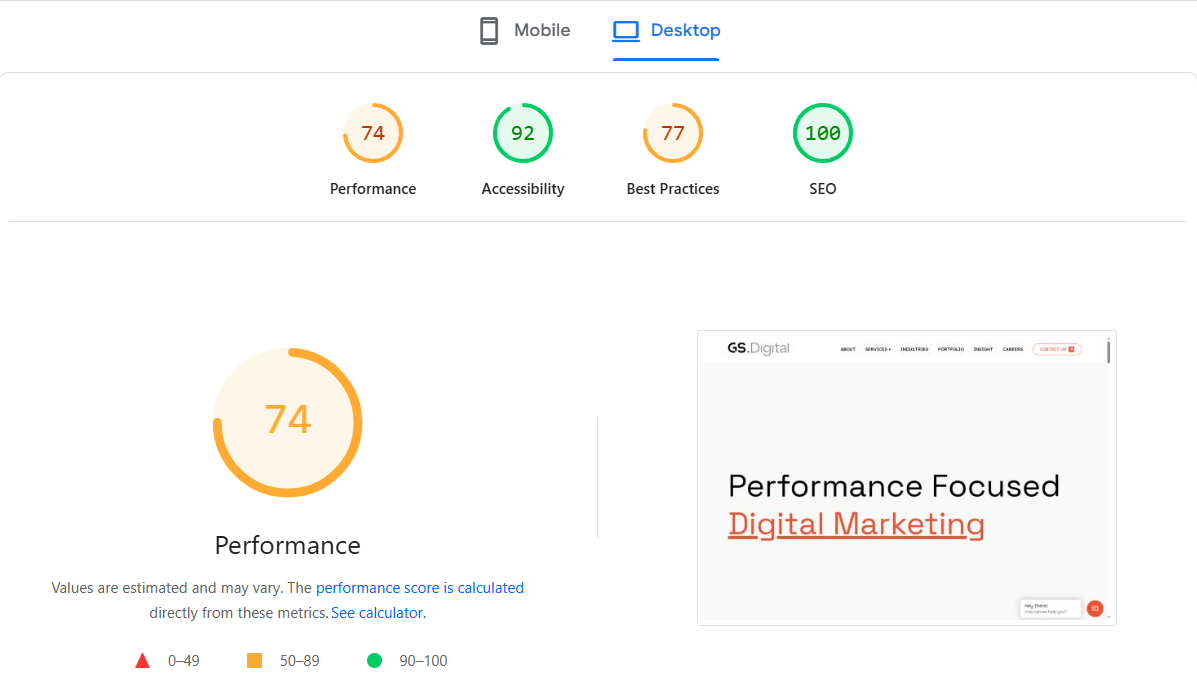
Speed directly affects revenue for AEC brands. Slow, image-heavy project pages reduce enquiries, increase bounce rates, and weaken rankings. In competitive markets, even a few seconds of delay can cost visibility and trust.
These elements often affect Core Web Vitals, such as how quickly the main image loads and whether the layout jumps around while loading.
In 2026, the three Core Web Vitals remain LCP (Largest Contentful Paint), CLS (Cumulative Layout Shift), and INP (Interaction to Next Paint), with INP now the dominant interactivity metric since it fully replaced FID in 2024.
Check your site speed regularly using tools like PageSpeed Insights or Lighthouse to see where delays are happening. Compare key project and service pages, not just the homepage, and track improvements over time.
If image and layout fixes do not fully solve the issue, the problem may be your hosting. Slow servers or shared hosting plans often limit performance. Upgrading hosting, enabling caching, and using a content delivery network can make pages load noticeably faster.
Faster pages mean fewer users drop off, more visitors explore your projects, and stronger overall visibility in search.
Most visitors now experience architecture, construction and property websites on mobile devices first. That makes mobile usability a ranking factor and a lead-generation factor, not just a design preference.
Mobile-first design simply means building for the smallest screen first, then scaling up for desktop. This is especially important for on-the-go searches like “contractor near me” or “architect in Dubai,” where users expect quick answers and easy contact options.
Project portfolios must also work well on mobile. Use vertical layouts, swipeable galleries, concise project summaries near the top, and optimised images that load quickly.
Good mobile experience supports mobile-first indexing and improves engagement signals such as time on site and bounce rate. A truly mobile-friendly architecture website increases both visibility and the chances of turning visits into project enquiries.
Structure data, also known as schema markup, gives search engines and AI systems clear signals about what your pages represent. Instead of guessing whether a page is a service, a project, a blog, or a location, schema tells them directly.
In simple terms, structured data is a small piece of code added behind the scenes of a webpage. It does not change what users see. It helps Google and AI systems understand your content more accurately.
The most commonly recommended format is JSON-LD. Think of JSON-LD as a structured label attached to your page. It clearly defines your business name, services, projects, and locations in a format machines can read easily.
| Schema Type | AEC Use Case | Why It Wins in 2026 |
|---|---|---|
| LocalBusiness / Organization | Office pages, multi-location firms. | Entity recognition + Knowledge Graph |
| Service | MEP, architecture service pages. | Intent matching for commercial queries. |
| Project | Case study and portfolio pages | Rich results + AI citation boost |
| BreadcrumbList | All hub → detail navigation | Direct AI Overview eligibility |
| FAQPage | Service FAQs such as “Construction SEO audit cost?” | Direct AI Overview eligibility |
For real estate technical SEO or property websites, location-based schema and listing-related markup (such as Offer schema) further strengthen clarity.
Structured data supports:
Always validate your markup using Google’s Rich Results Test or Schema validation tools, and update it whenever services, offices, or key offerings change.
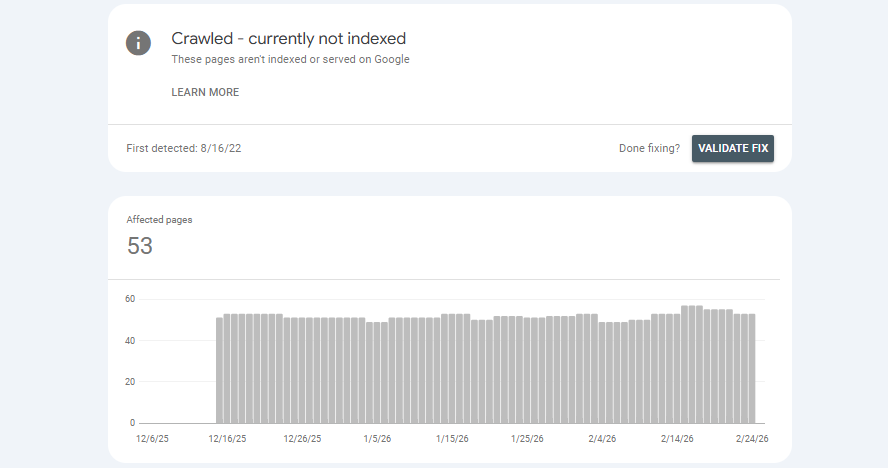
Many architecture, construction, and property websites struggle not because of weak branding, but because of hidden technical SEO issues. Below are the most common problems seen during a construction SEO audit, along with simple fixes teams can brief to developers.
Run regular checks in Google Search Console. Ensure key service, project, and location pages are indexable and included in a clean XML sitemap.
Consolidate similar pages, use canonical tags correctly, and enrich thin pages with more detailed, unique content.
Compress images, simplify layouts, enable caching, and review hosting infrastructure if performance issues persist.
Ensure responsive design, clear CTAs, and simple navigation.
Debounce events, lazy-load interactive scripts, and monitor INP in Search Console.
Quarterly technical audits help identify these construction company website SEO issues before they quietly reduce rankings and project enquiries.
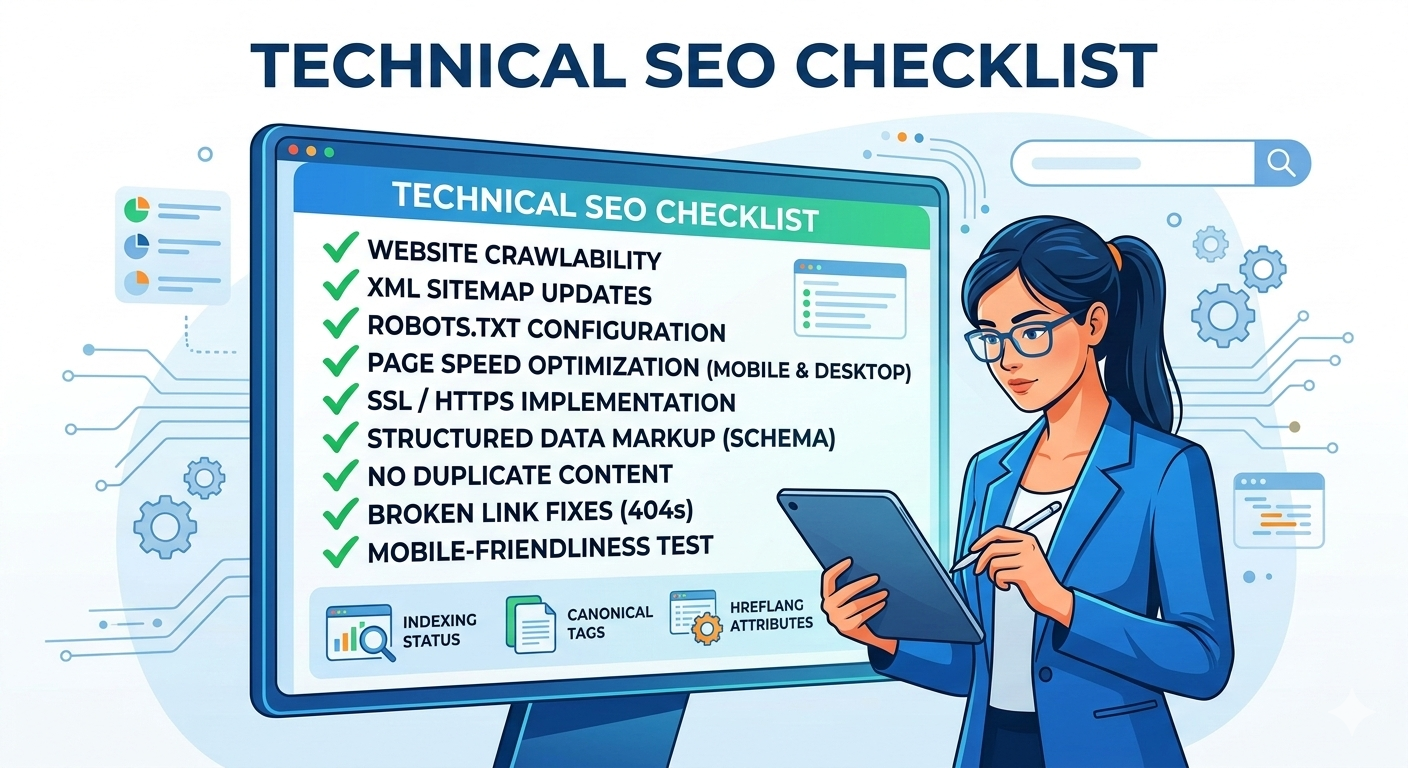
Before investing heavily in new content or campaigns, your architecture, construction, or property website should pass a basic technical health check. Think of this as a routine inspection to confirm your site is fit for 2026 and ready to support deeper SEO work.
Use this checklist as a starting point:
Run this checklist at least twice a year and log improvements to track progress over time.
The technical health of your website is no longer a backend concern. It is essential infrastructure for any architecture, engineering, construction, or property brand operating in 2026.
When Google and AI systems can easily load, interpret, and understand your services, projects, and locations, your site becomes far easier to surface in search results. Strong technical SEO removes friction, stabilises rankings, and strengthens every future content and demand-generation effort.
Treat this checklist like routine maintenance. Review it regularly, fix small issues early, and ensure your digital infrastructure remains strong. In competitive AEC markets, technical strength quietly protects your rankings and safeguards your pipeline.


SEO Team Lead | Global Surf Digital

Anandu S is an SEO professional with six years of experience in organic search strategy, technical SEO, and content-led growth. At Global Surf Digital, he leads the SEO team with a focus on revenue-driven outcomes rather than vanity metrics.